

Improved custom color wording for Returns and Trim cap
We clarified the wording for choosing a custom color on Returns and Trim cap, making it easier to tell when you’re matching artwork colors versus selecting an explicit color.
Fixes
We clarified the wording for choosing a custom color on Returns and Trim cap, making it easier to tell when you’re matching artwork colors versus selecting an explicit color.
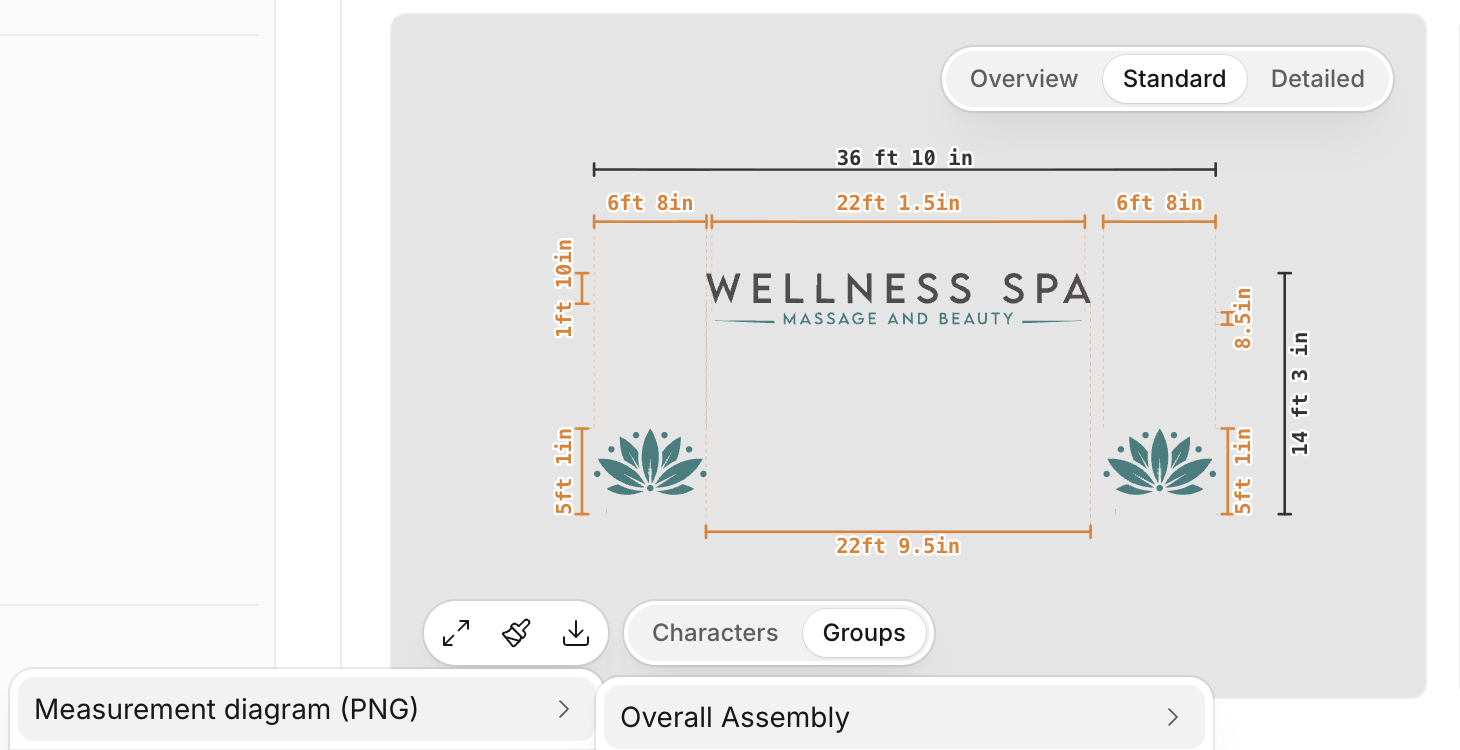
We fixed an issue that could prevent the overall composition from exporting correctly. Individual-piece exports continue to work, and the overall composition now exports successfully from both entry points.
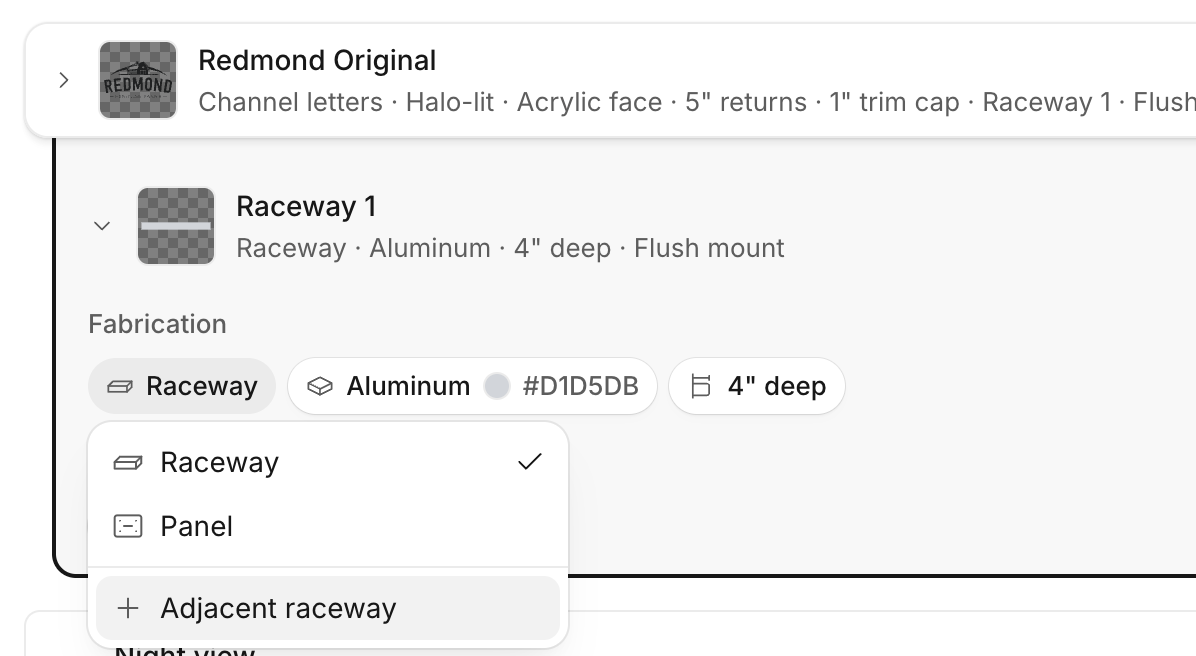
You can now add and manage multiple raceways for a single artwork more reliably in the mockup editor. Each raceway stays separate, making it easier to reflect real-world sign setups with multiple raceways on the same artwork.
We fixed pricing for lit channel letters so LED module costs are now included in quotes as expected.
We’ve fixed an issue in the mockup editor where custom dimensions on backer panels could lock width and height together. You can now enter exact measurements with width and height adjusting independently. This also applies to raceways.
We’ve improved how text behaves when switching fonts, helping preserve the intended text height while letting width follow the selected font.
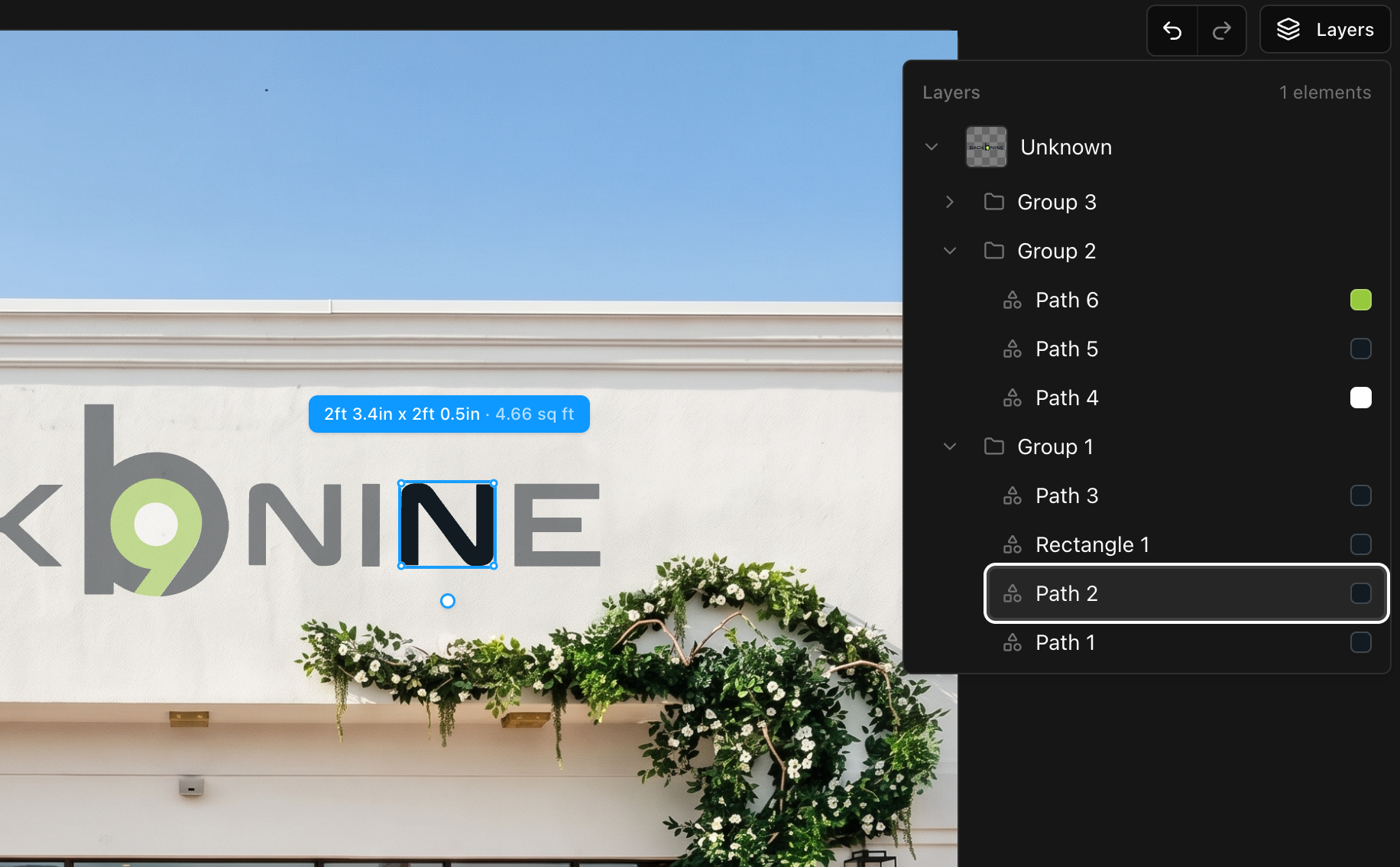
We fixed an issue in the new design editor that could prevent artwork layers from appearing correctly. You can now inspect and select the individual parts of multi-color artwork more reliably, and edit a selected part without affecting unrelated elements.
We improved artwork enhancement so transparent source files produce cleaner, more usable results.
We improved background cleanup so photos are more likely to preserve their original proportions during editing. This helps reduce cases where a valid image was incorrectly rejected. No action is needed.
We fixed two issues affecting survey photo enhancements: unsupported fallback image settings for wide photos, and a save failure that could occur after enhancement. The update preserves image proportions, calibration, and existing survey data.
We fixed an issue that could affect artwork analysis for certain SVG files, improving the reliability of mockup measurements, pricing, and diagram generation.
We've fixed an issue where site survey measurements were not saving correctly, which previously blocked the creation of new mockups. Your site survey information will now persist as expected, ensuring a smooth and uninterrupted workflow.
We've resolved an issue where very large artwork canvases could cause mockup generation to crash. This update ensures a more reliable and stable experience when creating mockups, especially with complex vector and raster inputs.
We've resolved an issue where artwork sometimes appeared with extra padding, leading to inaccurate measurements. Now, your artwork's frame will always perfectly match its content, ensuring precise sizing and consistent results across the editor and your final product.
We've resolved an issue where your initial refinement from an original image might unexpectedly alter the scene or camera angle. Now, your first edits will precisely apply your requested changes while preserving the original composition and framing.
We've resolved an issue where the night view toggle would disappear when adding a new text line as a dimensional letters sign. Now, the toggle will remain available, allowing you to correctly generate night views for all lit signs in your mockup.
We've resolved an issue where some subscribers were not receiving their Vuely Weekly broadcasts. All users who have opted in will now consistently receive our weekly updates.
Previously, adding a new sign to your map could sometimes cause existing signs to shift their positions unexpectedly. We've resolved this issue, ensuring that all placed signs now retain their exact coordinates unless you explicitly move them.
We've fixed an issue where text was illegible when entering a custom sign name. You can now clearly see what you're typing, making customization smoother.
We've fixed an issue that could cause project sign and survey photo links for assigned mockups to be lost when saving a survey. Your mockup source links will now be reliably preserved, ensuring consistent data integrity.
We've resolved an issue where selecting 'Front Lit' lighting sometimes produced unexpected halo or combination lighting effects. Now, your 'Front Lit' selections will consistently display as intended, ensuring accurate mockups.
We've resolved an issue where selecting standoff or pin mount options for dimensional letters would incorrectly revert to flush mount. You can now reliably choose your preferred mounting style for your dimensional letter signage.
We've resolved an issue that could prevent projects from being deleted, particularly those containing AI mockups sourced from survey photo variants. Project deletion is now more reliable and ensures all related data is properly handled.
We've fixed an issue causing inaccurate measurements in the canvas editor, especially for enhanced images. Your designs will now reflect precise dimensions, ensuring more accurate vectorized artwork.
We've resolved an issue where some users briefly saw an incorrect 'No access' message on their dashboard immediately after logging in. Your correct subscription plan will now display without needing a refresh.
We've resolved an issue where measurement labels would disappear for single words, letters, or small elements. Now, all elements, regardless of size, will consistently display their measurements. This ensures you always have the necessary details for your designs.
We've resolved an issue where artwork measurements were not consistently accurate between the canvas editor and the final diagram. Now, all measurements precisely reflect the visible content of your designs, ensuring greater accuracy and consistency.
We've resolved issues with LED board mockups to ensure accurate sizing and placement. You'll now see correct content generation on LED boards, preventing unintended placements like channel letters on raceways.
We've resolved an issue where section details sometimes displayed incorrect return sizes or lighting configurations. Now, your cross-section details will consistently reflect the exact specifications you've chosen, ensuring your proposals are always accurate.
We've enhanced the photo capture experience in surveys. Now, you'll see immediate feedback after taking a photo, ensuring you know your capture was successful without delay.
We've removed the three-line limit in the mockup editor. You can now add as much text as you need to fully express your design ideas.
Mounts no longer hide other elements when adjusting them in the mockup editor
We’ve received reports of mockups unexpectedly zooming in or signs scaling incorrectly during generation. To address this, we added a quality analysis system that automatically detects and fixes problematic mockups, reducing unexpected results.
We've resolved an issue where measurements taken in the mobile app were not saving correctly. You can now confidently capture and store your survey measurements on the go without fear of data loss.
We've fixed an issue where applying perspective image correction could distort images in the Canvas Editor. Your corrected images will now display accurately.
We've fixed an issue that sometimes caused mockups generated from perspective-corrected images to appear split or duplicated. You can now expect consistently coherent and accurate mockups when using corrected photos.
We've resolved an issue where city codes were not consistently populating in certain areas of the application. You should now see accurate city codes displayed as expected.
We've resolved an issue where the camera on tablets and iPads would not flip, causing users to capture selfies instead of the intended subject. You can now seamlessly switch between front and rear cameras to capture your survey photos with ease.
We've resolved an issue where you couldn't enter decimal numbers into proposal pricing fields. You can now accurately input and save fractional values for your project proposals.
We've strengthened the onboarding process by ensuring that only organization administrators can rename an organization. This update also improves data isolation by correctly handling file uploads for new users before their organization is fully established.
We've resolved an issue where the toolbar on the mockup page would become unresponsive after clicking a button, requiring a page refresh. You can now interact with toolbar buttons seamlessly without interruption.
We've made several important controls, such as project card options and photo carousel navigation, always visible on touchscreens. This ensures a smoother and more accessible experience for all users.
We've resolved an issue where some organizations were incorrectly upgraded to a Pro plan after a payment failure. Your plan will now correctly remain unchanged if a payment fails, ensuring accurate billing status without unintended plan changes.
We've implemented stricter validation for all user-supplied image and mockup URLs. This enhancement prevents potential security vulnerabilities, ensuring a safer and more reliable experience when working with your content.
We've resolved an issue where the rendered height of cabinet signs did not consistently match the measurement diagram. Your cabinet signs will now display with accurate proportions, ensuring consistency between your designs and the final mockups.
We've fixed an issue in the mockup editor where resizing could unexpectedly warp artwork dimensions and reset proportions. Snapping is now more precise, and artwork IDs are more stable, ensuring your designs remain consistent.
We've resolved an issue where mockups sometimes displayed outdated measurement diagrams after you re-vectorized an artwork. Now, any changes to your artwork will immediately reflect in your mockups, ensuring you always see the most current design.
Mockup generation is now faster and more reliable. We've addressed issues causing delays and inconsistent results, ensuring a smoother experience whether you're creating a new mockup or editing an existing one.
We've improved how you designate a core measurement for your projects. The 'Core Measurement' toggle is now always visible when adding or editing measurements, and it defaults to checked for your first measurement, ensuring a smoother survey completion experience.
We've resolved an issue where sign elements in mockups could appear incorrectly scaled or misaligned with the wall. Your designs will now display with precise dimensions relative to your site photos.
We've resolved an issue where mockup generation could appear stuck on a loading screen, especially if you switched tabs. Your mockups will now update correctly and display their final status promptly, ensuring a smoother experience.
We've enhanced our address parser to correctly recognize Canadian provinces and territories. This update also ensures accurate handling of Canadian postal code formats, making address entry smoother for our users.
We've updated the generation confirmation modal to ensure all buttons consistently display "Confirm…" when you're ready to finalize your design. This provides a clearer and more consistent experience across the platform.
You can now upload and use AVIF image files in Vuely. We've expanded our supported image formats to include AVIF, ensuring broader compatibility for your projects.
We've fixed an issue where AI-generated mockups were not correctly rendering circular signs, sometimes showing them as squares. Now, your circular sign designs will appear exactly as intended.
We've fixed an issue where signs were occasionally placed incorrectly in generated mockups, particularly with photos taken in portrait orientation. Now, your signs will consistently appear in the precise location you selected.
We've resolved an issue where sign elements in AI mockups sometimes appeared at the wrong size. Vuely now accurately accounts for image rotation in survey photos, ensuring your measurements and mockups are always precise.
We've resolved an issue where blank, empty notifications would sometimes appear in your toast notification section. You will no longer see these distracting empty messages.
We've resolved an issue where some users would get stuck on a blank sign-in page after an idle session. Now, you'll be automatically redirected to the app if already signed in, or see a loading screen while authentication initializes.
We've resolved an issue that was preventing notifications from appearing correctly. You'll now receive timely and accurate updates for project and survey events, ensuring you never miss important activity.
We've fixed an issue that was causing uploaded artwork to appear skewed. Your images will now display correctly, maintaining their original aspect ratio.
We've optimized how large portrait images are displayed on the mockup generator and detail pages. This update prevents them from taking up excessive vertical space, improving your overall browsing and creation experience.
We've resolved an issue that prevented mockup generation for cabinet signs. You can now successfully generate mockups for cabinet signs, even when specific per-element shape details are not provided, as long as a cabinet body is included in the design.