

Vuely Powers Up Your Sign Process: From Pitch to Perfection
Get ready to elevate your workflow, sign professionals! This week's Vuely update is packed with enhancements designed to streamline your operations, impress clients, and bring your designs to life with unprecedented ease and accuracy.
Draw signs in perspective on angled survey photos
Create highly realistic mockups by placing signs directly into the perspective of angled survey photos, allowing for accurate sizing based on existing wall measurements and providing clients with a truer visual representation of their future signage.
Upload PDF, AI, EPS, and CorelDRAW artwork
Teams can now directly upload a wider range of common artwork file types, including PDF, AI, EPS, and CorelDRAW, enabling seamless integration of client-provided designs and preserving original vector quality for previews and processing.
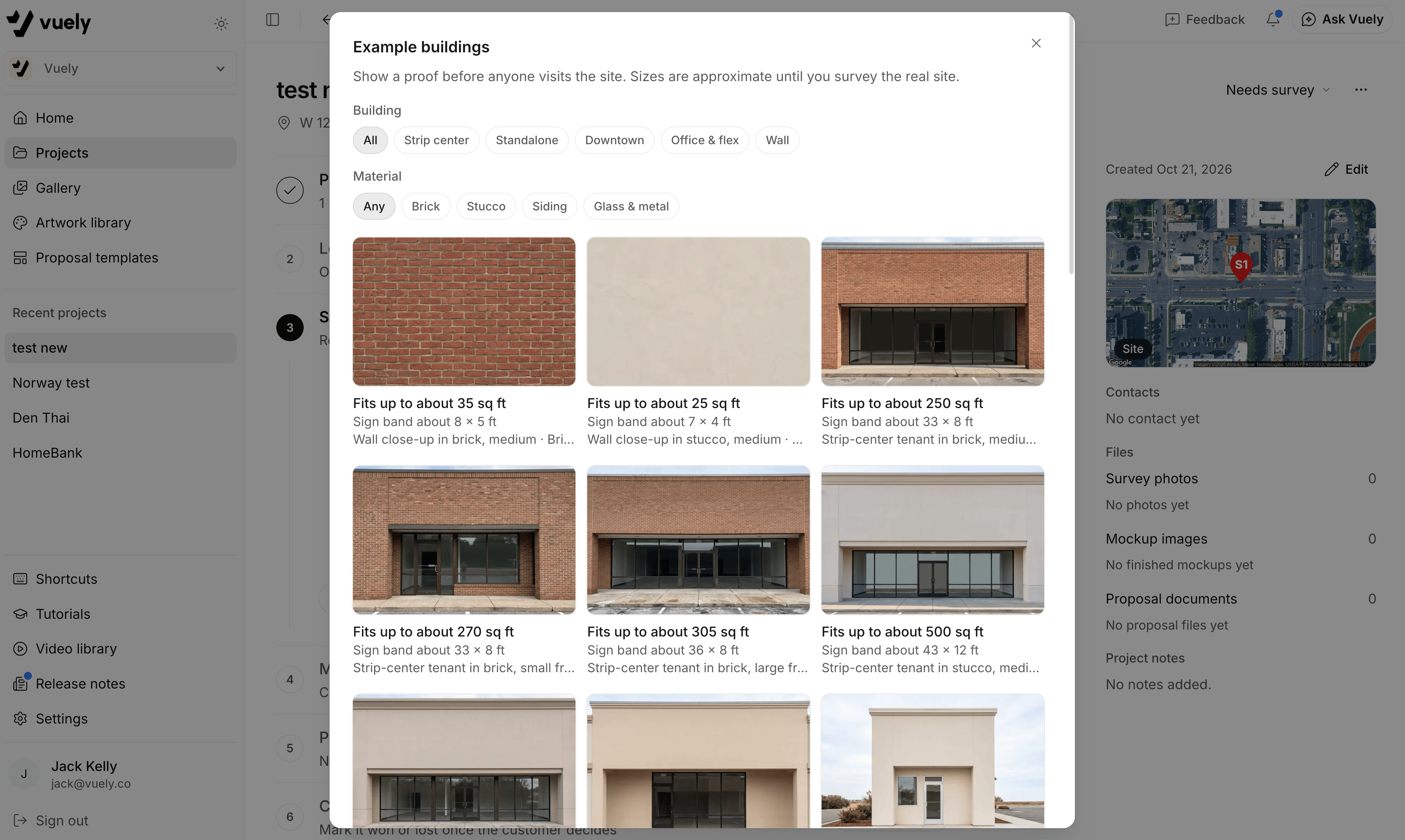
Use example buildings for prospect proofs
Sign companies can now quickly generate professional prospect proofs using Vuely’s library of scaled example buildings, allowing for faster initial client engagement and more accurate, proposal-ready mockups without needing a site photo first.
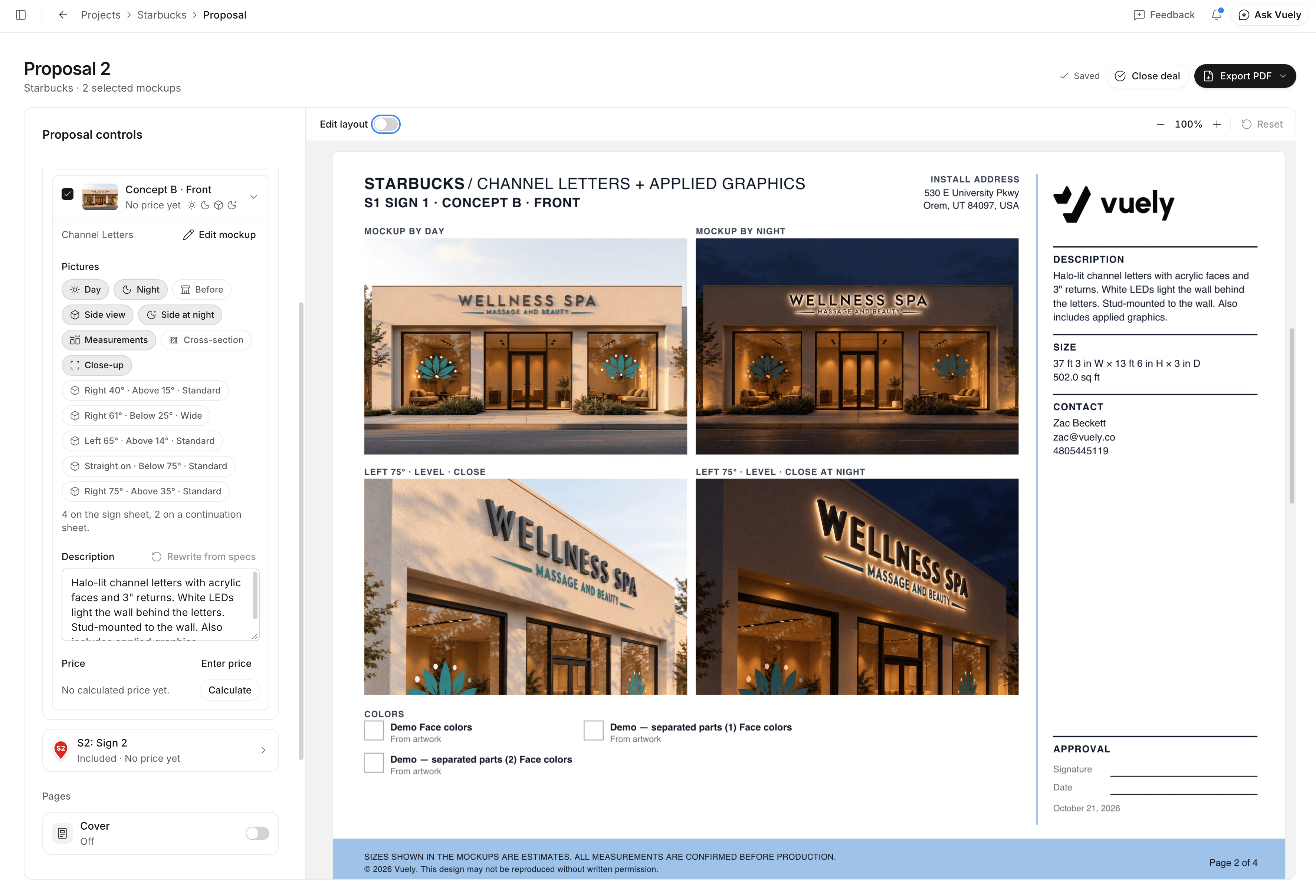
A new look for quick proposals
Deliver stunning client proposals with Vuely’s redesigned layouts, featuring clean designs and spacious landscape sheets that highlight your work professionally, empowering teams to create custom templates for consistent, impressive presentations.
Photo cleanup now removes whole signs by default
Vuely’s photo cleanup now intelligently removes entire existing signs by default, from letters to mounting hardware, significantly accelerating the process of preparing a site for new designs while still offering the option to only remove sign faces.
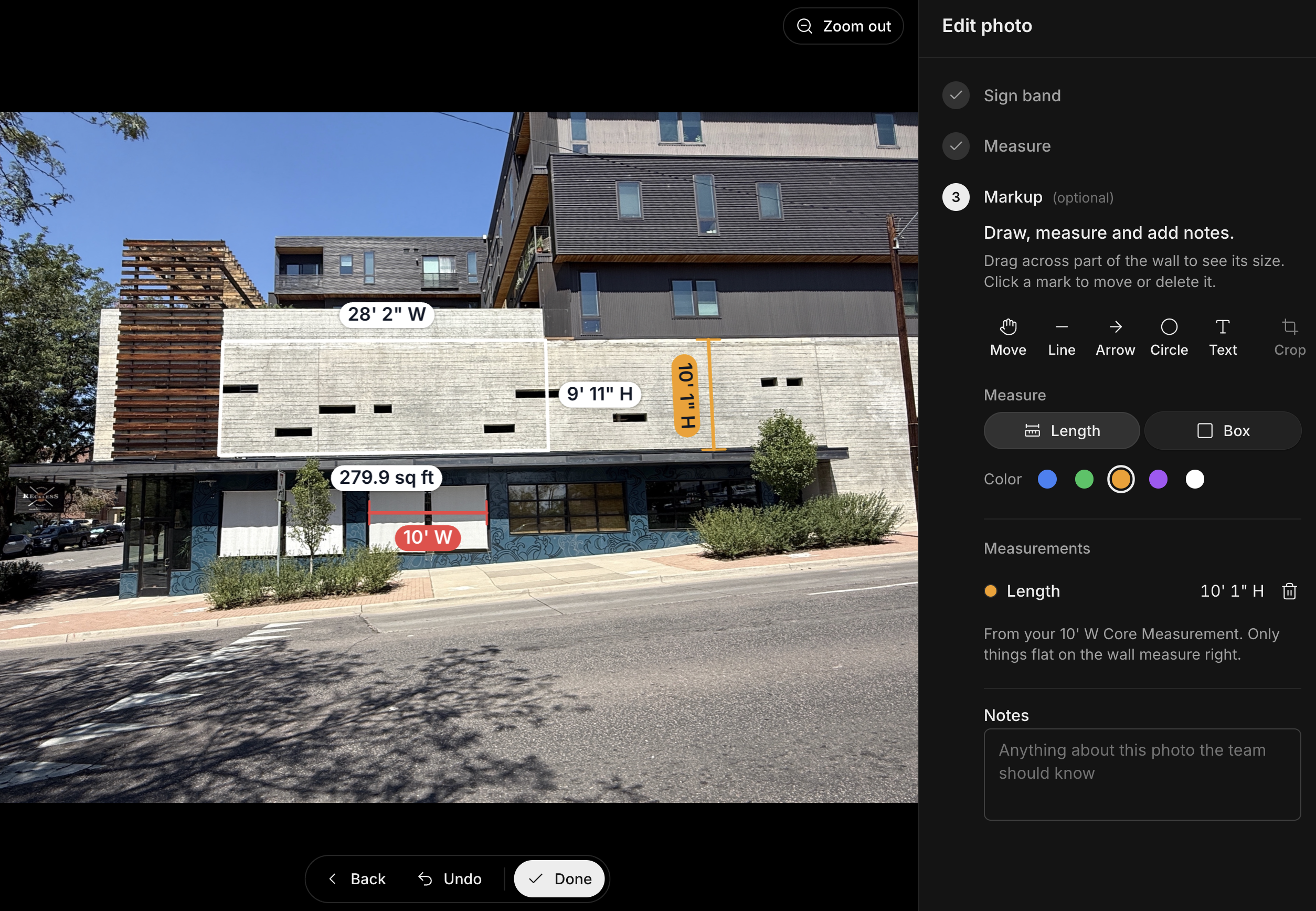
Survey Markup updates: photo notes, sign band sizes, and Length and Box measurements
Survey Markup now provides enhanced detail and precision with new capabilities like photo notes, accurate sign band dimensions, and versatile Length and Box measurements, enabling teams to capture more comprehensive site data and improve project communication.
Color picker updates for faster color selection
Selecting the perfect shade is now quicker and more intuitive with Vuely’s updated color picker, allowing teams to effortlessly search across color libraries and view matching results in a more compact, user-friendly interface.
A clearer mobile project page
The redesigned mobile project page now offers a cleaner, more intuitive layout that makes it easier for teams to quickly grasp project status and identify the next steps, improving on-the-go efficiency.